Different document and plan versions make searching difficult.
Industry focus / Architecture & Planning
Digital tools for planning teams.
We support office and project workflows with suitable software, integration and practical automation.
 Illustrative image · AI-assisted
Who we work for
For architecture and engineering practices, project managers, office teams and IT managers in planning organizations.
Build internal project assistance
Project knowledge with sources
Everyday work in your industry
When project knowledge is scattered across plan versions, inboxes and drives.
Planning depends on coordinated information. Documents, participants and tasks change during a project. We support organizational and technical workflows around planning: document access, project knowledge, office processes and traceable handovers between existing applications.
- Different document and plan versions make searching difficult.
- Decisions and open questions are spread across meetings and email.
- Project and office teams record information more than once.
- External participants need limited, project-specific access.
Project knowledge with sources
References and document versions stay visible so answers can be assessed by experts.
Turn agreements into tasks
Meetings produce reviewable tasks with owners, deadlines and references.
Connect office processes
Project master data and organizational cases connect through suitable interfaces.
What we contributeAppropriate technology.
Appropriate technology.
For your daily work.
We tailor these building blocks to your daily work.
Build internal project assistance
We make selected approved project documents accessible. Project boundaries, roles and versions are considered in access.
Structure tasks and decisions
Meeting notes can become draft tasks and decision lists. Project managers review and confirm assignments.
Connect office and specialist applications
We examine existing project management, document storage and commercial applications. Specific integrations depend on APIs, formats and usage rights.
Organize access and project handovers
Who may view, edit or approve which documents? Together, we define roles, departures and orderly handovers throughout the project.
Concrete industry use casesWhat this could look like
What this could look like
in your business.
The following scenarios describe possible projects. They are illustrative examples, not documented customer references.
Find the agreement again, with its document version.
The starting point
A team searches for the latest approved agreement on a facade option. Minutes, emails and plan versions are held in different locations.
A possible approach
An internal knowledge assistant could search approved documents by project and assemble relevant passages with date, source and status. Conflicting or ambiguous versions would be flagged.
Possible outcome
Readily accessible information that lets the responsible project manager verify the applicable status.
From draft minutes to a confirmed task list.
The starting point
After a planning meeting, open questions are distributed by email. Owners and dates remain unclear or are later interpreted differently.
A possible approach
An assistant could extract tasks, outstanding decisions and proposed owners from supplied notes. The project manager would review them before transfer to the task system.
Possible outcome
An agreed task list linked to the meeting, with responsible people and visible outstanding decisions.
Maintain project master data once.
The starting point
Project names, clients and responsibilities are separately created in storage, project management and the commercial application.
A possible approach
After project creation is approved, an integration could transfer defined master data and document destination mapping. Missing fields or duplicates would enter a review list.
Possible outcome
The target is a consistent organizational project reference with visible exceptions and fewer manual duplicate entries.
People, knowledge and systems
An example: from project document to agreed task.
A clear information flow shows where technology helps and where professional responsibility is required.
- 01
Limit context
Project, access rights and document versions.
- 02
Make sources accessible
Use approved documents transparently.
- 03
Review the draft
Project management assesses content and assignment.
- 04
Hand over the task
Document ownership and reference.
Integrate openly. All NALVRA products support MCP. The Model Context Protocol enables standardized connections to compatible AI assistants. Specific interfaces and permissions determine accessible data and actions.
Human First. AI Empowered.From industry workflow to projectA manageable starting point.
A manageable starting point.
A clear path.
We start with a defined use case. Each phase provides a verifiable basis for the next decision.
- 01
Understand daily project work
We review searching, filing and handovers in one defined project.
Possible deliverableInformation paths and relevant document types. - 02
Clarify access and versions
Project roles, approvals and version information are defined.
Possible deliverableAccess concept and selected pilot documents. - 03
Test with project questions
The team checks answers, sources and task drafts using realistic cases.
Possible deliverableExpert assessment and documented boundaries. - 04
Integrate into office workflows
Templates, training and support are agreed with the office team.
Possible deliverableAgreed operations and handover process.
Your first step
Start with a selected project.
A limited document set and typical daily questions are enough for an initial assessment. We clarify useful support and where professional decisions deliberately remain with the team.
Discuss an industry projectRelevant expertiseThe right components
The right components
for your project.
Explore the services relevant to the tasks described.
Software when it fits the need
Tools for your workflows.
Our MCP-enabled products can complement implementation. Features, version and interfaces are assessed for your project; suitable existing applications remain part of the assessment.
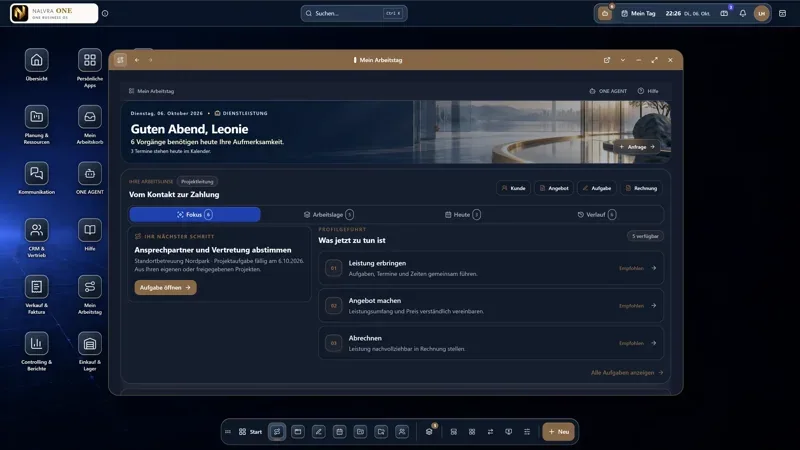 On request
Business & OperationsMCP-enabled
NALVRA ONE
The Business Operating System for small and midsize businesses.
View product External website · new tabQuestions from your industryBefore you start,
Before you start,
useful to know.
Does AI make planning or approval decisions?
These approaches support knowledge and organization. Specialist planning, reviews and binding approvals remain with qualified responsible people.
Is direct CAD or BIM integration included?
Such integration is not generally promised here. Available interfaces, formats, versions and usage rights require assessment in the specific project.
How are projects kept separate?
We define project permissions and test access with positive and negative cases. An assistant must not use documents from unapproved projects.
Your project. Our next conversation.
What matters to your business?
Let's discuss a specific workflow, your technical prerequisites and a sensible first step.